Step 1
Pick one period
Choose a clear start and end date. A month, a phase or one schedule change is easier to reconstruct accurately than an entire year.
Treatment history
Today's plan is usually easy to find. The harder question is what the plan looked like six weeks or three months ago — and what actually happened after it changed.
The useful test
If someone asked what changed three months ago, could you show them without searching five different places?
When records are spread across Notes, calendars, reminders and separate apps, it is tempting to fill the gaps from memory. That usually makes the timeline less reliable, not more.
A cleaner rebuild starts with the records you can verify, keeps the current plan separate from the historical record, and leaves uncertain parts visibly uncertain.
Step 1
Choose a clear start and end date. A month, a phase or one schedule change is easier to reconstruct accurately than an entire year.
Step 2
Write down what the plan was at the start, then separately list the events you can verify actually happened. A later change should not overwrite the earlier record.
Step 3
Check calendars, reminders, Notes, messages, existing trackers and appointment records. Mark anything approximate rather than silently turning it into a fact.
Step 4
For each change, record what changed, when it changed, what came before it and which record supports the change.
Step 5
An honest blank is more useful than invented precision. Keep uncertain dates or missing events marked as uncertain until you can verify them.
Free browser tool
Add only what you can verify. Keep the plan, the actual record and later changes separate so the timeline stays honest.
Timeline entry
0 filled entries
Record-keeping only. This tool does not recommend treatments, doses or schedule changes and should not be used to make a medical decision.
Free worksheet
The Treatment History Rebuild Worksheet gives you a structured place to record the starting plan, verified events, changes, evidence and unresolved gaps.
Open the free worksheet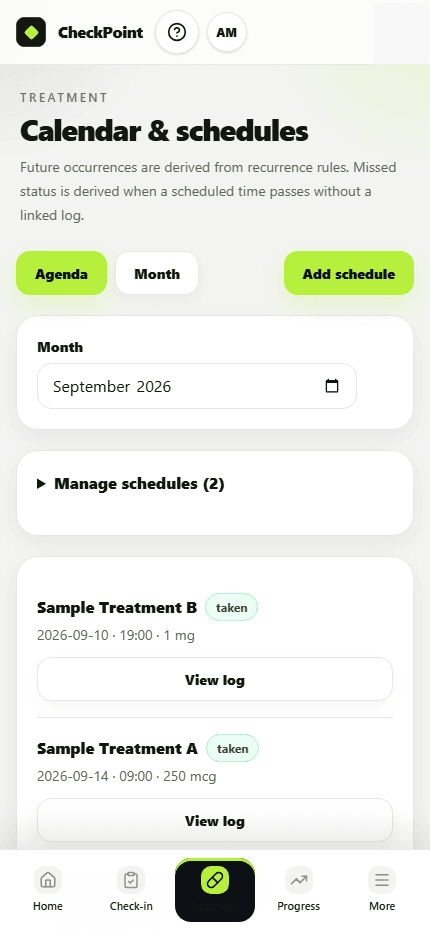
Why Checkpoint exists
Checkpoint is built to keep schedules and recorded events connected over time, so changing what is current does not erase the historical context you may need later.
The worksheet helps you rebuild a scattered record once. Checkpoint is designed to preserve that record as you go.
Rebuilding a scattered record once can be useful. The more durable solution is to preserve the timeline as plans change, so the current schedule and the historical record remain distinct.
That is the problem Checkpoint is designed around: keeping schedules, recorded events, history and progress context together without rewriting what came before.
Try the Checkpoint founding betaThis guide is for organising records. It does not diagnose, prescribe, recommend treatment or tell you what dose to take. If you need to confirm clinical information or make a treatment decision, use an appropriate qualified professional.